
How to Set Up Google Business Profile in Calicut 7-Step Guide
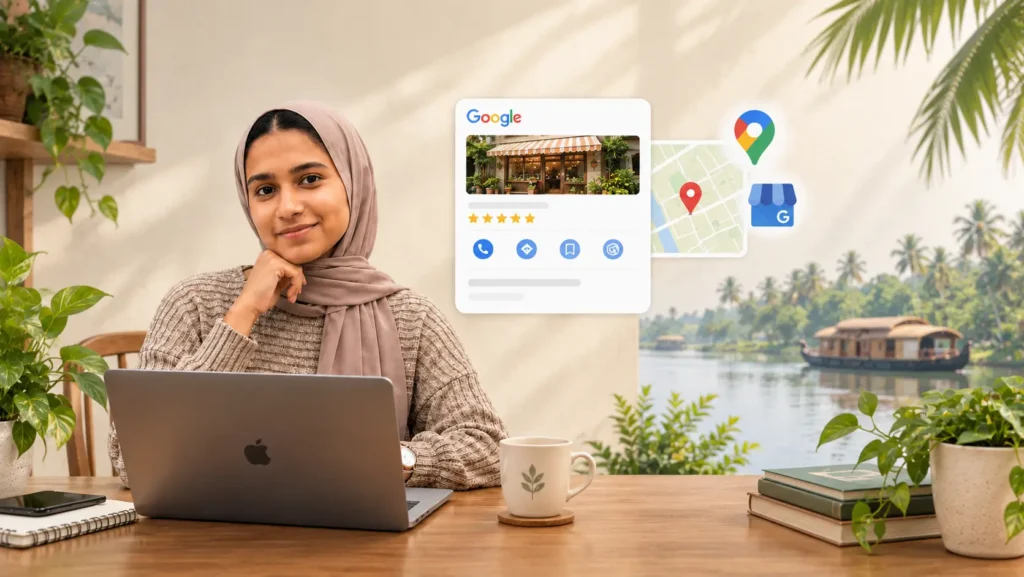
When someone in Calicut searches “bakery near me,” “mobile shop in Mavoor Road,” or “best dentist in Kozhikode,” they don’t scroll through ten pages of results. They look at the map and the first few businesses that appear. If your shop isn’t there, those customers go to a competitor.
A Google Business Profile (still called Google My Business by many people) is the free listing that puts your business on Google Search and Google Maps. For any small business in Kozhikode, it’s one of the most effective and cheapest forms of local SEO in Calicut. This guide shows you how to set up Google Business Profile in Calicut 7-Step Guide and improve it step by step.
How to Set Up Google Business Profile in Calicut 7-Step Guide: What Is a Google Business Profile?
A Google Business Profile is your business’s free listing on Google, and it’s the first thing to understand before you learn how to set up Google Business Profile in Calicut 7-Step Guide . It shows your name, address, phone number, opening hours, photos, reviews, and website in one place. When people search for what you sell, your profile can appear in the map results and on the right side of the search page.
For a small business in Kozhikode, this means customers can find you, check your reviews, call you, and get directions without ever visiting your website. That’s why knowing how to set up Google Business Profile in Calicut 7-Step Guide is one of the simplest ways to get more local customers.
Why Every Kozhikode Business Needs One
- Customers search locally. A large share of searches for shops and services are “near me” searches.
- It’s free. You pay nothing to create or maintain it.
- It builds trust. Reviews and real photos show people you’re a real, active business.
- It works even without a website. Many small shops get most of their online customers from their profile alone.
If you’re investing in digital marketing in Calicut, this should be the first thing you set up, before ads or social media campaigns.
Step 1: Create or Claim Your Profile
Search for your business name on Google Maps. If it already appears, claim it. Many businesses are listed by Google without the owner knowing. If it doesn’t exist, add it as a new business using your Google account.
Use the exact name on your shop board. Adding keywords to your business name (like “Best Bakery Calicut”) can lead to suspension.
Step 2: Choose the Right Category
Your main category tells Google what kind of business you are, and it strongly affects when you appear. Choose the most specific option available. “Interior designer” is better than “Service,” and “Bakery” is better than “Store.” Add secondary categories for other services you offer.
Step 3: Add Complete and Accurate Details
- Business name: Exactly as on your signboard.
- Address and map pin: Drag the pin to your exact location so customers can find you easily.
- Phone number: Use a number you actually answer.
- Website: Link to your site or your main social page.
- Opening hours: Add special hours for Onam, Eid, Vishu, and Christmas.
- Service area: Add this if you deliver or visit customers.
Wrong timings or phone numbers cost you customers, and can lead to bad reviews.
Step 4: Verify Your Business
Google needs to confirm that your business is real. Depending on your business and location, you may be asked to verify by video, phone, or a code. Until you complete this, your profile may not show up properly in search.
Step 5: Write a Clear Business Description
Use the description to explain what you do in plain language and mention your location naturally. For example: “We are a family-run bakery in Kozhikode, known for fresh cakes, snacks, and custom orders.” Avoid stuffing it with repeated keywords. Write for people first.
Step 6: Add Your Products and Services
List what you sell or offer, with short descriptions and prices where possible. This helps customers decide before they contact you, and it gives Google more information about what you do.
Step 7: Upload Real, High-Quality Photos
Profiles with real photos get more attention than profiles without them. Upload:
- Your shopfront (so people recognize it)
- The interior
- Your products or work
- Your team
Use clear, daylight photos. If you have a logo or cover image, keep it consistent with your other branding so people recognize you across Google, Instagram, and Facebook.
Step 8: Get More Google Reviews
Reviews are one of the biggest factors in how you appear on the map and in whether people choose you.
- Ask happy customers to leave a review right after a good experience.
- Share your review link on WhatsApp so it takes one tap.
- Reply to every review, including negative ones, politely and professionally.
- Never offer money or gifts in exchange for reviews, as it goes against Google’s rules.
If you want to know how to get more reviews andhow to set up Google Business Profile in Calicut 7-Step Guide, consistency matters more than any trick. A few new reviews every month beat a sudden burst.
Step 9: Post Updates Regularly
Use Posts to share offers, new arrivals, events, and announcements. Add a clear photo and a short message. Posting once or twice a week signals that your business is active and gives people a reason to choose you.
Step 10: Check Your Performance
Your profile shows how many people found you, called you, or asked for directions. Review this regularly. If calls are low, improve your photos and description. If views are low, check your category and add more details.
Common Mistakes to Avoid
- Putting keywords in the business name. It can get your profile suspended.
- Leaving outdated information. Old numbers and timings frustrate customers.
- Ignoring reviews. Unanswered reviews look careless.
- Using stock photos. People want to see your real shop and work.
- Choosing a vague category. Be specific so the right customers find you.
- Setting it up once and forgetting it. Active profiles perform better.
Frequently Asked Questions
Is Google Business Profile free for Kozhikode businesses?
Yes. Creating and managing a profile costs nothing.
How long does it take to show up on Google Maps?
After verification, profiles can appear fairly quickly, but ranking well takes time and depends on your details, reviews, and activity.
Do I need a website to create a Google Business Profile?
No. Many local businesses use only their profile, though having a website helps.
Can I manage my profile from my phone?
Yes, you can update details, reply to reviews, and post updates from your phone.
Why is my business not showing up in “near me” searches?
Common causes are an incomplete profile, an unverified listing, a vague category, or very few reviews.
Final Thoughts
A well-maintained Google Business Profile is one of the cheapest and most effective ways to bring local customers to your door. Once you know how to set up Google Business Profile in Calicut 7-Step Guide, set it up carefully, keep your details updated, collect honest reviews, and it will keep working for you every day.
You can do much of this yourself, but if you’d rather have an expert handle it, choose carefully. The right person to help you how to set up Google Business Profile in Calicut 7-Step Guide isn’t necessarily the cheapest or the most well-known. It’s the one who takes the time to understand your business, communicates clearly, and can show real results from past work. Checking this upfront saves both budget and frustration down the line.
If you’d like to have that initial conversation about your business and goals, I’m happy to talk it through.
Get in touch: jasminsafida2003@gmail.com | +91 92077 03771